
Start with the simple version
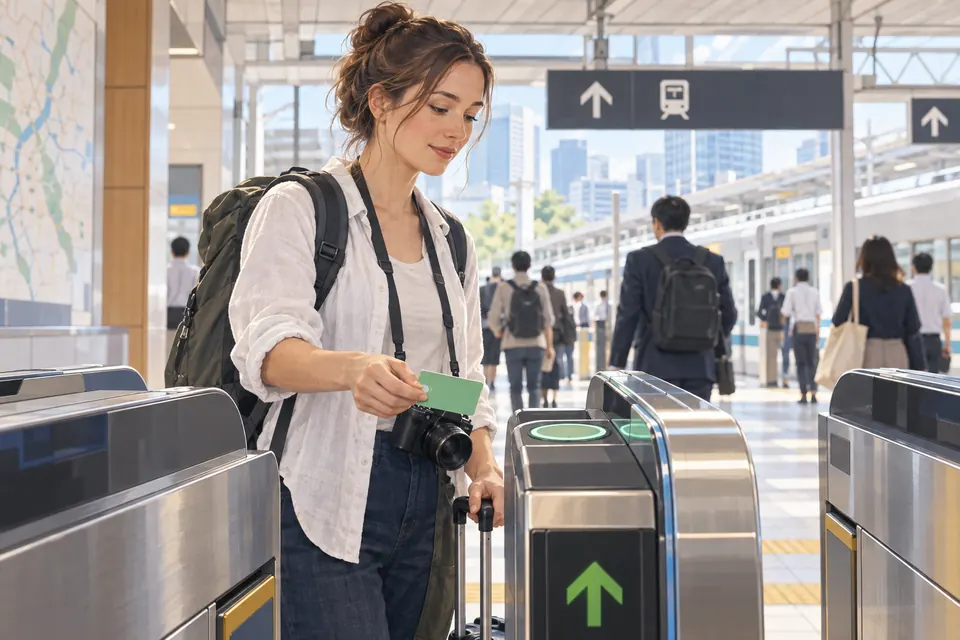
You walk into a busy station. Around you are signs for Suica, PASMO, ICOCA and a machine selling tickets. It can look as if you need to choose the perfect card before you can ride. You do not.
An accepted IC card is a reusable way to pay ordinary fares: add money, tap at the reader, and the fare is deducted. It is not an unlimited rail pass. A regular paper ticket is still an option if you do not have a card or your phone setup fails. For limited-express trains, Green Cars and Shinkansen services, check the extra ticket or booking rule before boarding. JR East explains the basic-fare and extra-ticket layers.
Choose a card you can actually obtain and top up; you do not need to collect them all.What does Suica actually do?
Suica is JR East’s prepaid transportation IC card. Where it is accepted, you tap it at a rail gate or bus reader; the operator deducts the fare from the stored balance. You can also pay at participating shops, vending machines and restaurants. The same basic idea applies to several other transport IC cards. The reader and route still have to accept the card. JR East’s Suica guide describes those uses and limits.
If you normally buy a ticket for each trip, an IC card removes that small repeated task. It does not reserve a seat or automatically pay every surcharge.
Suica has company: PASMO, ICOCA and more
Suica is part of a larger family of transport IC cards. You may see PASMO around Tokyo and ICOCA in western Japan. Other names include TOICA and manaca in the Tokai region, Kitaca in Hokkaido, and SUGOCA, nimoca and Hayakaken in Kyushu. You do not need to memorize them. Many major cards work on one another’s participating services, so a card you already have may be useful in another city. PASMO’s operator list explains the scope.
That does not mean one card works everywhere. Some lines and buses do not accept it, and you cannot always cross from one IC service area to another on a single tap-in/tap-out journey. PiTaPa has a separate exception for shopping payments, so check a shop’s payment marks rather than assuming rail acceptance means retail acceptance. Before a long or unusual route, check the operator’s ticket instructions.
Can tourists buy a regular Suica now?
Yes, regular physical Suica is being sold again. JR East announced the restart of sales of non-personalized Suica and PASMO on 1 March 2025. A new JR East Suica includes a ¥500 refundable deposit in its purchase price. JR East also describes named “My Suica” cards, which have different loss/reissue treatment from anonymous cards. Check JR East’s current card guidance before relying on a specific station machine or counter.
Availability still varies by seller and machine. If you do not see the card you want, ask station staff or check the issuer’s current seller list. For an ordinary trip, a paper ticket still works.
Which card fits your trip?
Start with three practical questions: How long will you use it? Do you need a physical card? What will you do with any money left on it? The four products below have different rules.
Regular Suica
A practical choice for repeat visits. Check today’s sales point.
- Form
- Physical
- Validity
- No visitor expiry; invalid after 10 years unused
- Deposit
- ¥500
- Unused balance
- Refund through JR East, with handling rules
Welcome Suica
Visitor card; check JR East’s current airport and station sellers.
- Form
- Physical
- Validity
- 28 days
- Deposit
- None
- Unused balance
- Normally no unused-balance refund
Welcome Suica Mobile
Needs a compatible iPhone and eligible Apple Pay card.
- Form
- iPhone app
- Validity
- 180 days from first charge
- Deposit
- None
- Unused balance
- No balance refund under the app terms
TOURIST PASMO
Visitor card currently sold at designated Haneda/Narita points.
- Form
- Physical
- Validity
- 28 days
- Deposit
- None
- Unused balance
- Normally no unused-balance refund
For regular JR East Suica, a refund normally returns the deposit plus remaining balance after the issuer’s handling rules. For physical Welcome Suica, TOURIST PASMO and Welcome Suica Mobile, ordinary unused balance is generally not refunded. A separate process may apply if a card malfunctions or is damaged; that is not the same as an optional refund of unused balance. Do not assume that a visitor card follows regular Suica’s refund rules, or vice versa.
JR East’s Welcome Suica page, Welcome Suica Mobile terms, and TOURIST PASMO’s current page give the product-specific rules. TOURIST PASMO is a separate visitor card from PASMO; it was introduced in 2026.
Where should I get one?
At an airport, first identify which railway company’s station you are using. JR East lists current Welcome Suica sales points at selected airport and city locations; PASMO lists designated TOURIST PASMO sellers at Haneda and Narita. These are not interchangeable counters. In a major JR station, look for Suica-compatible ticket machines or ask at an eligible counter for a regular Suica. Check the issuer’s page before you plan around one location.
- Arriving via a JR East airport station? See Welcome Suica purchase locations and look for the listed machine or JR East service center.
- Arriving via Keikyu or Keisei? Check TOURIST PASMO’s airport seller list. Sales points and purchase payment options differ by seller.
- Already in town? Check the issuing railway’s regular-card information, or ask station staff which machine sells the card you want.
Sales locations can change. A named child card may require the child’s passport or other accepted identification, even if a family member buys it on the child’s behalf.
Can I put an IC card on my phone?
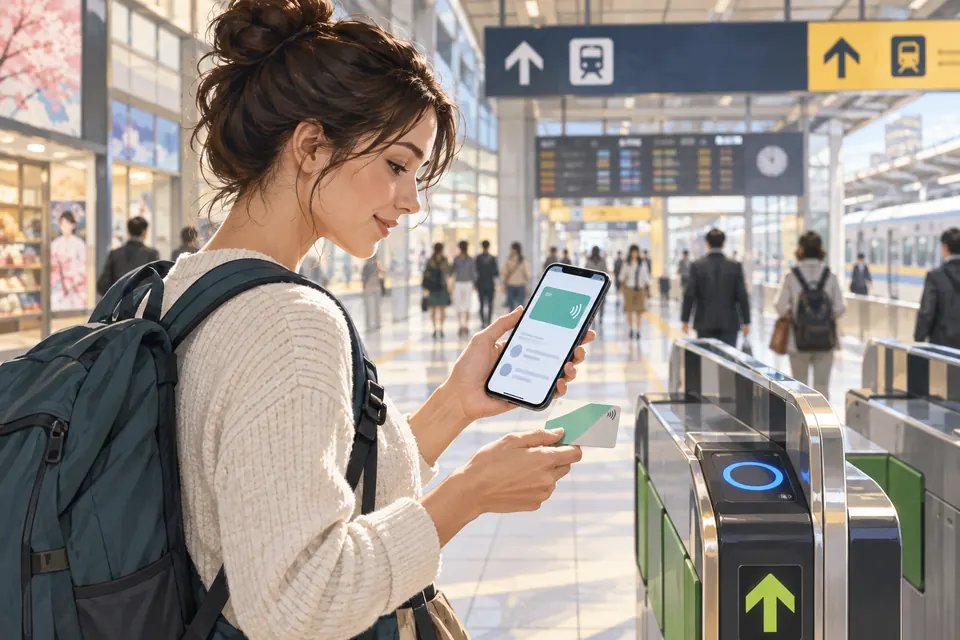
Yes, for some phones and card products. Check your exact phone, wallet, card product and top-up method before you rely on it. If setup is awkward, a physical card or paper ticket is a perfectly normal backup.
iPhone and Apple Watch
Apple’s current support page explains how eligible iPhones and Apple Watches can add supported transit cards such as Suica, PASMO, ICOCA and TOICA in Wallet. It also lists device, software, account and payment requirements. Your transit card can be on only one device at a time. If you transfer an eligible physical card to Wallet, the physical card stops working. Use the same device to start and finish a journey.
JR East’s Welcome Suica Mobile is a separate iOS visitor app. Its terms state that stored value is valid for 180 days from the first charge and is not refunded. It uses an eligible Apple Pay card in the user’s own name; its issuance or charging may be restricted in some locations or during maintenance. Check the current app guidance before your trip.
Android
Android is not a simple yes or no. Mobile PASMO and Mobile ICOCA list supported models; Mobile Suica has its own device guidance. Whether it works depends on your exact model, Osaifu-Keitai/FeliCa support, software, account, service and payment method. Having NFC alone does not mean your phone can use Japan’s transit IC services. This matters especially if you bought the phone outside Japan. Check your exact model against the product’s current official list.
An overseas-issued payment card may work with one mobile product and fail with another. Issuers and wallet providers have their own checks. Try setting it up while you still have cash or a paper-ticket fallback; installing the app alone does not prove you can top it up.
No IC card? You can still ride
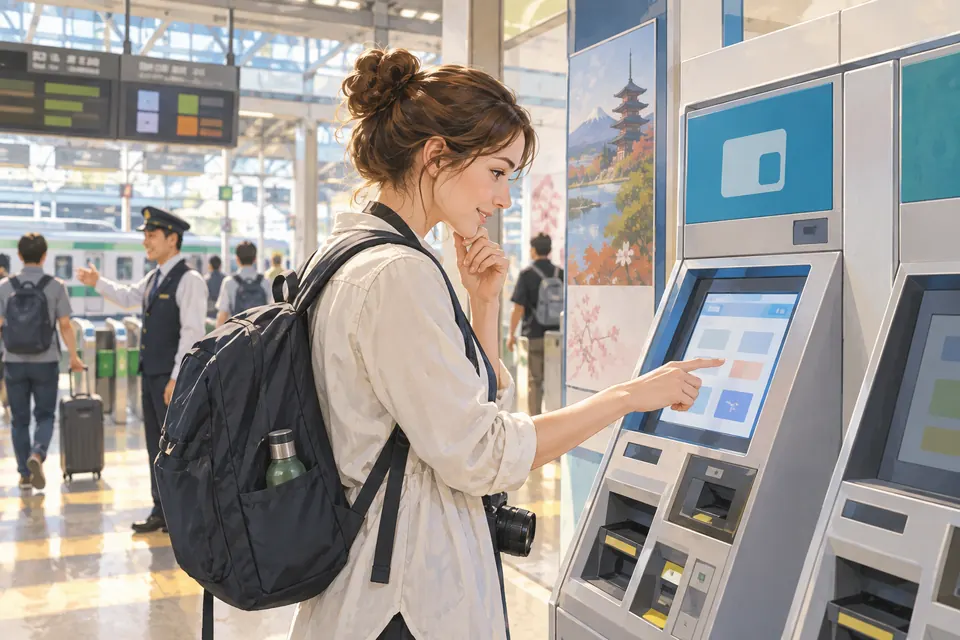
For an ordinary rail trip where paper tickets are sold, use the ticket machine for the journey’s basic fare, choose the destination or fare shown, pay, and keep the ticket for the exit gate. Station staff can help if the fare map or machine is confusing. JR East’s ticket overview lists both paper basic-fare tickets and Suica.
If the service is limited express, Shinkansen or another reserved/premium train, the basic-fare ticket alone may not be the full ticket. Check that train’s requirements first. This is a ticket question, not a reason to panic about lacking Suica.
At the gate: touch, wait, and keep the same card
At a compatible rail gate, hold one card or your chosen device over the marked reader. Touch rather than swipe. Wait for the gate to accept the tap. On an ordinary gated journey, use the same card or device when you leave. Do not enter with a phone and exit with the physical card it replaced, or put several cards against the reader together.
The card or device that opened the entry gate is the one to use at the exit. If you are changing operators, crossing an area boundary, or using a ticketed service, follow the station’s specific instructions instead of assuming this simple flow covers it. Buses may ask you to tap when boarding, alighting or both.
How do I add money?
For a physical JR East Suica, use cash at a compatible ticket or fare-adjustment machine showing the IC mark. JR East lists a ¥20,000 maximum stored balance. Check the screen before inserting cash; the machine shows available amounts and the updated balance. JR East’s physical-card instructions explain the process.
For TOURIST PASMO, the issuer lists cash top-up at eligible station machines and some convenience stores or shops; method and amounts differ by location. For Welcome Suica, follow JR East’s physical-card top-up page. A shop may be able to add value, but ask first instead of assuming every till can.
For mobile cards, follow that service’s app or Wallet instructions. Apple Pay eligibility and issuer card acceptance differ from the cash rules for a physical card. A foreign card may work in one setup and fail in another; no universal acceptance promise is possible from the operator guidance we checked. Add a modest amount first and keep a backup method.
Your train card can be a handy little wallet
You pick up a drink after your train ride. At the checkout, the payment marks tell you whether your IC card is one of the accepted methods.

At a participating checkout, vending machine, café, station shop or locker, look for the transportation-IC or supported card mark. Tell the cashier you want to use a transport IC card if they ask for the payment method, then tap the indicated reader. The same stored balance pays for the purchase. It is handy for a drink or a quick konbini stop—as long as that business accepts it. JR East’s shopping guidance and TOURIST PASMO’s usage page describe participating uses.
Not every shop, locker or vending machine accepts every IC card. Check the payment marks before you join the queue.
If the gate will not open, here is what to do
A red light can look dramatic when people are waiting behind you, but it does not mean your card is broken. Step aside so others can pass. Check your balance and make sure you are using the same card or device you used to enter. If the reader may have missed your tap, try once more. If the gate still will not open, take your card or phone to the staffed gate. Show staff the reader message and tell them where you entered and whether you changed cards or devices. Do not force the gate or keep tapping.
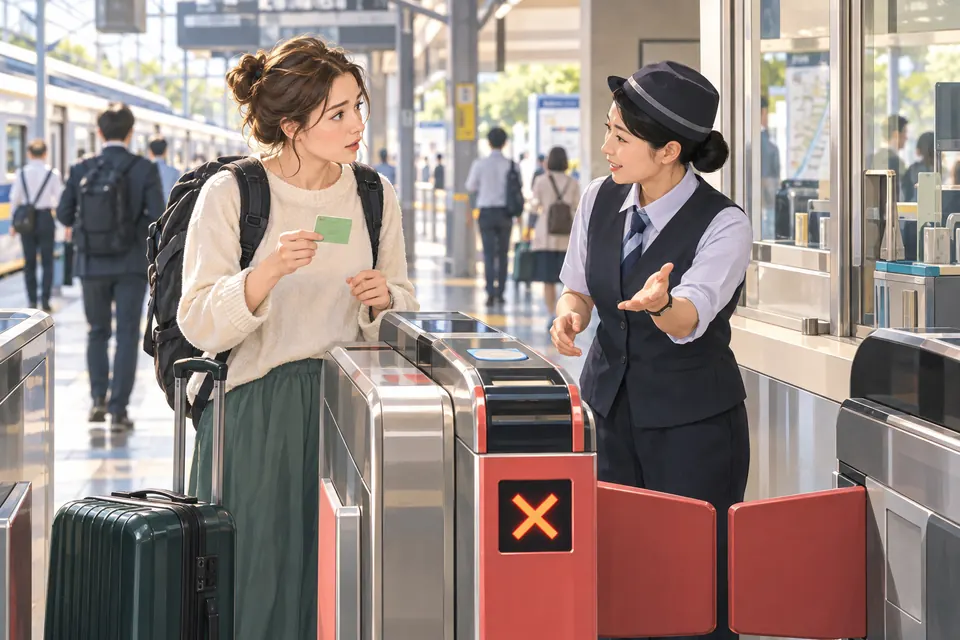
A low balance, an unread tap, a different card at exit, an unfinished earlier trip, the card itself or the gate equipment could all be involved. The red light alone cannot tell you which. Staff can check your journey and tell you whether to add money, adjust the fare or try another gate. The focused gate-problem guide has a step-by-step flow and a language-reviewed Japanese phrase card.
What does “fare adjustment” mean?
Fare adjustment (精算) simply means paying the difference if your card balance or ticket does not cover the full fare. An eligible station may have a fare-adjustment machine; a staffed gate can tell you which process applies. JR East describes top-ups and adjustment machines for its own services, but do not treat one operator’s machine flow as a rule for every railway. If the card records an unfinished trip, let staff inspect it instead of buying a new ticket at random.
Each passenger needs their own card or ticket
One card is useful. It is not a family pass. At automatic gates, each traveler needs their own valid card or ticket. You cannot tap the same Suica repeatedly to send several people through on one journey. If your child qualifies for a child fare, use an appropriate child IC card or child-fare paper ticket; an adult card deducts the adult fare. JR East’s card rules and PASMO’s usage guidance support the one-card-per-passenger rule.
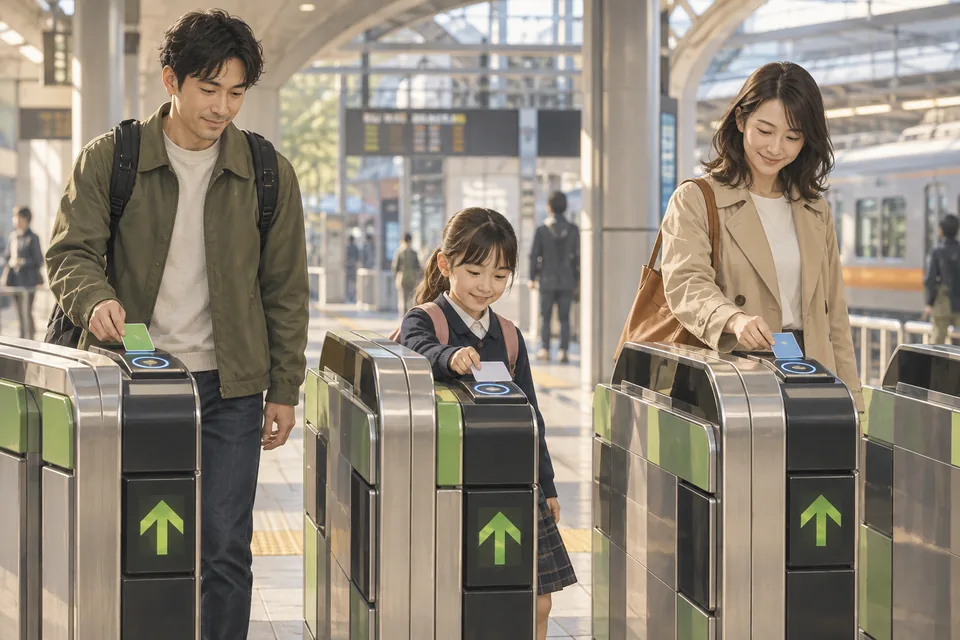
- AdultTheir own IC card or ticket
- ChildChild IC card or child-fare ticket
- AdultTheir own IC card or ticket
Physical Welcome Suica and TOURIST PASMO have child versions. Their issuers ask for the child’s passport or another accepted identity document at issue. Child age and validity rules belong to the specific product, so confirm them before you buy. If your phone does not support a child product, a physical child card or paper ticket may be simpler.
Does Suica cover the Limited Express or Shinkansen?
Not automatically. An IC card can pay a basic fare where the service accepts it, but a Limited Express, Green Car or Shinkansen may need a separate ticket or an eligible e-ticket/IC setup. Some specific JR East products allow a configured card or mobile Suica to work with a particular Shinkansen service; that is not a blanket rule for every train. Read the operator’s booking details before boarding. JR East’s ticket guide shows the layers.
If you cannot tell which ticket you need, use our focused extra-ticket question guide before the gate.
Lost it, or leaving Japan with money left?
First identify the product and issuer. If you lose an anonymous physical Suica, JR East says it cannot be reissued for loss. A named My Suica or Suica commuter pass has a separate loss/reissue procedure, with identity and other conditions; JR East’s current Japanese procedure is more specific than an older blanket sentence on its English overview. A damaged card is another procedure. If your phone is lost, use the relevant mobile service’s official recovery steps; do not assume the physical-card process applies.
Welcome Suica and TOURIST PASMO cannot normally be reissued if lost. For TOURIST PASMO, the issuer asks travelers to carry its reference paper. JR East Welcome Suica and PASMO publish those conditions.
For a regular JR East physical Suica, JR East’s refund page describes returning it to an eligible JR East location, with the deposit and the remaining balance subject to a ¥220 handling fee on the balance. Another issuer cannot necessarily refund it. Physical Welcome Suica, TOURIST PASMO and Welcome Suica Mobile do not offer a normal refund of unused stored value; special malfunction or damage procedures are distinct.
Where does a card stop being enough?
Remember three separate checks: Does the operator accept this IC card? Can this journey stay within a valid IC service area? Does this train require an additional ticket? Mutual use solves many everyday trips, but it does not make all railway networks one continuous fare area. JR East’s Suica guide says a trip crossing certain area boundaries needs a ticket arranged in advance.
If the route planner shows a long intercity journey, a private line with no IC symbol or a premium train, look at the operator’s route and ticket rules before tapping in. A paper ticket is often the less complicated choice.
A few words that help at the station
The signs are more useful than perfect pronunciation. Here are common words and three existing language-reviewed phrase cards you can show to station staff. These phrases can help you ask a question; confirm the fare and route with the operator before you travel.
- 改札
- kaisatsu · ticket gate
- 残高
- zandaka · balance
- チャージ
- chāji · top up
- 精算
- seisan · fare adjustment
- 駅員
- ekiin · station staff
- 切符
- kippu · ticket
These words can help you ask for help. They do not confirm that a fare or route is valid.
{destination}に行きたいです。何番ホームに行けばいいですか?
Show this phrase to staffこの電車に乗るには、乗車券やICカードのほかに、 特急券や指定席券が必要ですか?
Show this phrase to staffこのICカードで改札を通れないのですが、 確認していただけますか?
Show this phrase to staffQuestions travelers ask about IC cards
Can tourists buy a regular Suica now?
JR East restarted sales of non-personalized physical Suica in March 2025. Check its current sales guidance or ask staff at an eligible station for today’s stock and machine options.
Where can I buy a Suica or visitor card?
Regular Suica comes from eligible JR East sellers. Welcome Suica and TOURIST PASMO have their own designated sales points; use their current official purchase pages before heading to a counter.
Do I need Suica if I already have PASMO or ICOCA?
Often no: major cards work across participating systems. Check the actual route’s IC acceptance and area boundary rather than buying a second card automatically.
What is Welcome Suica?
It is JR East’s 28-day physical visitor IC card. It has no deposit and normally no unused-balance refund. It is different from regular Suica.
What is TOURIST PASMO?
It is PASMO’s physical visitor card, currently valid for 28 days and sold at designated Haneda/Narita points. It has no deposit and normally no unused-balance refund.
Can I use Suica on an iPhone?
Yes, on an eligible iPhone or Apple Watch. You can add supported Japanese transit cards in Apple Wallet if you meet the device, account and payment requirements. JR East also offers the separate Welcome Suica Mobile iOS app.
Can I use an IC card on Android?
Sometimes. Supported Android models can use Mobile Suica, PASMO or ICOCA. Check your exact model and Osaifu-Keitai/service eligibility; NFC alone is not enough.
Will my overseas credit card top up a mobile IC card?
Maybe. Acceptance depends on the card, wallet and issuer; official guidance does not promise every overseas-issued card will work. Keep cash or a paper-ticket fallback.
Can I use Suica in Osaka or Kyoto?
Often yes, on participating routes. Check the operator and do not assume one continuous IC journey can cross every area boundary.
Can I use it on buses?
Many do, but not all. Check that bus route’s signs and whether you tap when boarding, alighting or both.
Can one card pay for two people at the gate?
No. Each passenger needs their own valid card or ticket for an automatic-gate journey.
What should I use for a child?
Use an appropriate child card or child paper ticket. Visitor child cards have issuer-specific age and identification rules; take the child’s passport or accepted proof when required.
Can I ride the Shinkansen with only my Suica balance?
Not by default. Most journeys need the right ticket or a configured e-ticket/IC service. Check the operator and your booking before boarding.
Can I refund the balance before flying home?
It depends on the card. A regular JR East physical Suica has a refund process with a fee on the remaining balance; visitor products generally do not refund unused value. Check your product and issuer before heading to a counter.
What if I lose the card or phone?
It depends on the product. Anonymous physical Suica and visitor cards are not normally reissued after loss; named Suica has an issuer procedure. For a phone, use the relevant app’s recovery steps. Contact the issuer promptly.
Sources & checks
Sources checked 24 Sept 2026. For changing details, confirm with the responsible organization.
- JR East · Using SuicaTop-up, insufficient balance, additional tickets and separate IC service areas
- JR East · Welcome Suica28-day physical visitor card; compatible areas and additional-ticket limitations
- JR East · Welcome Suica purchase and refundsOfficial sales locations, cash top-up, ordinary no-refund rule and malfunction exception
- Apple · Suica, PASMO and ICOCA in WalletSupported Apple devices, setup and adding money; card-specific conditions
- JR East · IC Card Ticket Handling RulesA child Suica is valid for the named child; other Suica cards are valid for one person only · English operator rules. The rule supports individual-card use; it does not describe every other issuer product.
- Google Wallet Help · E-money in JapanAndroid e-money setup requires an Osaifu-Keitai-compatible device and service-specific eligibility; funding-card conditions also apply · Japan-only product guidance. Device, region/account, wallet, e-money product and payment-card eligibility are separate checks.
- Mobile Suica · Compatible devicesCurrent Mobile Suica device, OS and feature-availability checks · Japanese first-party guidance summarized in English. The compatible-model list and available functions can change.
- JR East · Ticket guideBasic fare and limited-express ticket layers; seat categories
- JR East · Physical Suica sales restartNon-personalized Suica and PASMO physical-card sales restarted 1 March 2025 · Dated operator announcement; individual machine inventory must be checked with the issuer.
- JR East · Card reissue rulesNamed My Suica and commuter passes have a loss-reissue procedure; anonymous Suica cards do not · Current Japanese product-specific primary guidance. Summarized in English; older English overview has a blanket statement.
- JR East · Physical-card refundJR East-issued physical Suica refund, 500-yen deposit and up-to-220-yen balance handling fee · Issuer-specific; not a refund policy for visitor/mobile/other-company products.
- PASMO · TOURIST PASMO28-day visitor card; current Haneda/Narita sellers; child option, top-up, loss and normal no-refund rules · Current seller and product terms may change. English first-party page.
- PASMO · Mutual use of transport IC cardsParticipating major card brands and interoperability limits including PiTaPa electronic-money exception · Japanese first-party guidance summarized in English. Route and area boundaries still apply.
- JR East · Welcome Suica Mobile termsiOS/Apple Pay requirements, 180-day value validity from first charge and no stored-balance refund · Check current app/device restrictions and maintenance before use.
- PASMO · Mobile PASMO Android devicesSupported Android devices and service-specific mobile eligibility · Japanese operator device list; an NFC logo alone is not an eligibility test.
- JR West · Mobile ICOCA Android devicesSupported Android model and Osaifu-Keitai requirements · Japanese operator list; verify exact handset and account/payment requirements.
- PASMO · Train useOne card cannot process multiple passengers through one automatic-gate journey · Japanese operator guidance summarized in English.
Purchase locations, supported devices and card rules can change. Before choosing a product, check the linked issuer’s latest guidance.